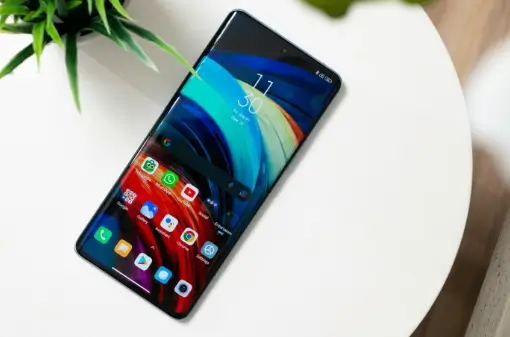
A phone can seem perfectly fine while messages, videos, and maps are open. Then one fast page starts lagging, and all the small problems show up at once. The browser has old tabs sitting in memory. Storage is nearly full. The network looks strong but loads slowly. Battery saver is quietly limiting background activity. Short-session pages are good at exposing that mess because they depend on timing, clean taps, and steady screen movement. When the phone stutters, the page feels worse than it really is.
The first problem may be the device
People opening crash duel x may expect the screen to react right away, but the phone still controls much of that first impression. A crowded device can make one button feel late. A browser packed with old sessions can reload a stale version of the page. Weak data can freeze the screen at the worst moment. The page gets blamed first because it is the thing the user sees.
A cleaner start usually helps more than repeated tapping. Close video apps that are still running. Remove old downloads that no longer serve a purpose. Restart the phone if it has been awake for days. These small steps sound boring, but they clear the junk that often sits between the user and the page. Tech users know this from streaming boxes and laptops too. A small cleanup can make a device feel less tired without changing the hardware.
Fast pages make weak networks obvious
Signal bars can lie a little. A phone may show full bars while the connection still feels slow. Public Wi-Fi in cafés, hostels, offices, or stations can load articles well, then struggle with faster pages. Mobile data may work better in the same place. A VPN can also change how the page responds, especially if the route is slow or the location signal feels different.
The best test is simple. Switch from Wi-Fi to mobile data, open a clean browser tab, and watch whether the delay remains. If the page behaves better, the network was probably part of the problem. If it still feels stuck, browser cache or phone memory may be next. This order saves time because it avoids random reinstalling, folder clutter, and five half-finished attempts sitting on the device.
What to check before blaming the page
Fast screens need a phone that is not already fighting itself. A few checks can prevent the usual loop of refresh, tap again, refresh again, and get annoyed.
- Close apps that are pulling data in the background.
- Keep free storage for cache and temporary files.
- Test Wi-Fi and mobile data separately.
- Turn off strict battery saver during active use.
- Clear browser cache if the same screen keeps failing.
- Check whether a VPN is slowing the connection.
These checks are plain, but they work because most mobile problems are plain. The phone is often full, tired, or stuck on a poor connection. Fixing that first makes the whole session easier to read.
A late button is a clue
A button that reacts late does not always mean the page is broken. Sometimes the browser is waiting for the network. Sometimes the phone is low on memory. Sometimes an old cached file is getting in the way. Repeated tapping can make the situation worse because the page may receive several requests at once. It is better to pause, reload once, then test the connection. If the same delay stays after those checks, the problem is easier to describe.
Privacy settings belong in the same setup
Fast entertainment pages can feel casual, but account access still needs ordinary privacy care. A screen lock should be active. Saved passwords should not sit on shared devices. Lock-screen previews can show private alerts to people nearby. Public Wi-Fi is fine for reading news, but private account activity should use a trusted connection when possible.
This applies to more than one type of app. Email, wallets, shopping accounts, cloud tools, and entertainment pages all sit on the same phone. If one device is shared at home, saved logins and visible alerts need stricter control. Hidden previews, safer passwords, and regular sign-outs can prevent awkward mistakes. None of this is advanced tech work. It is basic phone care.
A cleaner phone makes short sessions feel better
Short mobile pages work best when the device stays calm. Enough storage, fewer old tabs, steady data, quieter alerts, and safer login habits can change the whole feel of a page. The phone does not need to be new. It needs fewer leftovers from weeks of downloads, videos, chats, and browser sessions.
That is the practical lesson fast pages teach. Speed does not come from the page alone. It comes from the page, the browser, the network, and the condition of the phone. When those pieces are in decent shape, the screen feels clearer, taps respond better, and the user spends less time guessing what went wrong.