Anyone retiring a fleet of laptops eventually runs into the same uncomfortable question: is deleting the files actually enough? For solid-state drives, the honest answer is no, which is why proper ssd destruction services have become a standard line item in IT asset disposal rather than an optional extra. The physics of flash memory work against you, and the tools most people reach for were designed for a different kind of drive entirely.
Flash Memory Doesn’t Forget the Way Spinning Disks Do
A traditional hard drive stores data on magnetic platters. Overwrite a sector and the old magnetic state is gone. That predictability is what made multi-pass wiping software trustworthy for decades.
Solid-state drives behave differently. They spread writes across memory cells to prevent any single cell from wearing out early, a process called wear levelling. The controller, not the operating system, decides where data physically lands.
That means when you tell an SSD to overwrite a file, the controller may quietly write the new data somewhere else and mark the original block as available. The old data is still sitting in silicon. It is no longer visible to the file system, but it has not been destroyed.
Most SSDs also hold back a slice of capacity the operating system never sees, reserved for wear management and bad-block replacement. Data can end up in that reserved space, entirely out of reach of software that only addresses the visible drive.
What Makes Physical Destruction the Reliable Answer
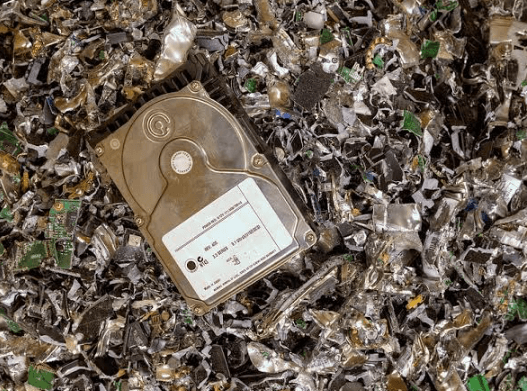
Because software cannot guarantee it has touched every cell, physical destruction removes the guesswork. The Electronic Recycling Association runs AmeriShred industrial shredders capable of processing hard drives, solid-state modules, data tapes, servers and other storage hardware, reducing them to fragments no recovery lab can read.
There are a few ways to arrange it, and the right one depends on how strict your internal rules are.
- Off-site destruction — ERA collects the drives and shreds them at its own facility. Your representatives are welcome to watch in person, or ERA can supply live or recorded video of the destruction on request.
- On-site destruction — a mobile shredder comes to your building and the drives are destroyed before they ever leave your property.
- Self-service rental — ERA delivers a mobile AmeriShred unit, trains your cleared staff on it, and your own team performs the shredding. This suits organisations whose security policy forbids sensitive material from leaving the premises under any circumstances.
Every one of these routes ends with a Certificate of Destruction listing the individual serial numbers of the units destroyed, which is what turns a security decision into something you can show an auditor.
The Factory Reset Trap
Consumer advice often stops at “restore factory settings.” On a modern encrypted device, a proper cryptographic erase can be genuinely effective, because destroying the key makes the ciphertext meaningless.
The problem is verification. You rarely know whether a drive implemented that command correctly, whether its firmware has known bugs, or whether the reset touched the reserved area. A silent failure looks exactly like a success.
For a personal laptop, that risk may be acceptable. For a drive holding client records, patient files or payroll data, it is not a bet worth taking.
See also: The Rise of “Smart Study” Ecosystems: How Tech is Redefining Academic Support in 2026
Cost, Reuse and the Trade-Off Worth Naming
Shredding a drive destroys an asset that might still have resale or donation value, and that trade-off deserves an honest look rather than a blanket policy.
ERA applies industry-leading erasure software using a multiple-pass, random-array approach to equipment slated for refurbishment and reuse, which is how working computers reach charities and schools instead of a smelter. For highly sensitive material, or where specialised wiping software would cost more than the hardware is worth, shredding becomes the sensible option.
A workable rule of thumb: classify by what the drive held, not by what the drive is worth. Anything carrying regulated or contractually protected data goes to physical destruction. Everything else is a candidate for verified wiping and reuse.
Where the Fragments End Up
Shredded metal and plastic goes to audited refiners, where magnets, aluminium housings and gold-plated circuitry are separated and melted back into base commodities. Handled properly, retiring a drive securely and keeping material out of landfill are the same project rather than competing ones.
Deciding Before the Next Refresh
Deleting files is housekeeping, not security. Because wear levelling and hidden reserved capacity put flash memory beyond the reach of ordinary overwriting tools, ssd destruction services exist to close a gap that software alone cannot. Decide by data sensitivity, insist on serial-level documentation, and treat the certificate as the deliverable rather than the shredding itself. Speak to a certified provider before your next hardware refresh, and the decision gets made once instead of drive by drive.